





Why Cyber Security Should Be an Essential Part of Daily Life
October 19, 2026
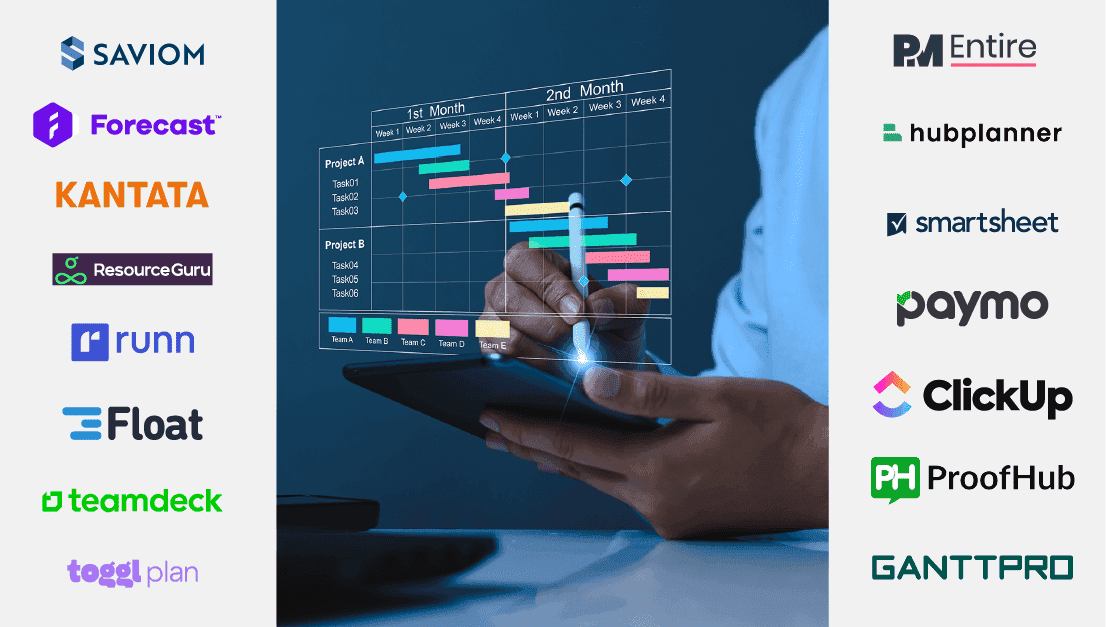
Finding the perfect open-source resource management tool for your organization can be overwhelming, especially with the wide array of options available. But don’t worry, we are here to help you out!
We have conducted extensive research to bring you the top 10 open-source resource management tools for 2024. These versatile tools are designed to streamline processes, enhance efficiency, and can be tailored to suit your organization’s unique needs.
By the end of this blog post, you’ll be well-equipped to choose the best open-source resource management tool for your organization.
Let’s get started!
| SL. No | Company Name | One-line description | Read More |
| 1 | GanttProject | Best open-source resource management software for simplified project resource planning | Visit Website https://www.ganttproject.biz/ |
| 2 | Runn | Best open-source resource management software for dynamic teams | Visit Website https://www.runn.io/ |
| 3 | Smartsheet | Best open-source resource management tool for project-based firms | Visit Website https://www.smartsheet.com/ |
| 4 | Monday.com | Best open-source resource management tool for flexible teams | Visit Website https://monday.com/ |
| 5 | OrangeScrum | Best open-source resource management tool to manage project tasks and teams | Visit Website https://www.orangescrum.com/ |
| 6 | Wrike | Best open-source tool for seamless resource scheduling and management | Visit Website https://www.wrike.com/vai/ |
| 7 | Paymo | Best open-source resource management software for optimizing team efficiency | Visit Website https://www.paymoapp.com/ |
| 8 | Odoo | Cost-effective open-source resource management tool for growing businesses | Visit Website https://www.odoo.com/ |
| 9 | Easy Redmine | Best open-source resource management tool for agile and hybrid project teams | Visit Website https://www.easyredmine.com/ |
| 10 | Hive | Best open-source resource management solution for efficient project and resource planning | Visit Website https://hive.com/ |
Best open-source resource management software for simplified project resource planning
Best for: Small to Medium Businesses
GanttProject is an intuitive project resource management software known for its excellent capabilities. It enables users to visualize projects and resources, making it a preferred choice for multi-tasking project managers.
What makes GanttProject unique?
This free, open-source tool is simple, easy to use, and trusted by customers globally. It provides Gantt charts for efficient project and resource management. Moreover, GanttProject allows users to export documents to various formats such as Microsoft Project, CSV, Excel, PDF, and PNG.
It offers collaboration capabilities through GanttProject Cloud, a commercial cloud-based project and collaboration server. Additionally, as the software is open-source, managers have the option to download the tool’s source code and customize it as per their requirements. GanttProject is definitely the top choice for businesses looking for an open-source project resource management solution.
Core features:
Pricing structure:
GanttProject is a free and open-source project management solution. The best part is that it does not require any licensing fees to use.
Pros and Cons:
| PROS | CONS |
| GanttProject is free to use and an open-source software. | Compared to paid project tools, GanttProject may lack certain advanced features. |
| It is a suitable option for users who have a limited budget. | Some users find the UI/UX of GanttProject to be restrictive. |
| Users can import existing data or export project plans in various formats. | The updates or new features are not as frequent or exhaustive as paid software. |
| Users can easily manage resources and assign them to tasks. |
Best open-source resource management software for dynamic teams
Best for: Startups to large enterprises
Runn is a comprehensive resource management platform designed to streamline workforce-centric processes. It offers a centralized solution for various industries and helps them ensure project success.
What makes Runn unique?
Runn provides real-time visibility into team members’ skills, workload, holidays, availability, and utilization rates. This feature allows project managers to efficiently assign employees to projects. It also offers advanced forecasting that helps users to assess resource requirements for future projects. This predictive planning allows firms to ensure project success and resource efficiency.
Moreover, the software allows managers to create the best project resource mix based on competencies, budget, and other key criteria. The in-built timesheets allow employees to log their time and allow managers to compare real-time data to forecast values. Lastly, the tool’s robust reports, dashboards, and integration capabilities make it an excellent option for companies of all sizes.
Core features:
Runn’s pricing structure:
Runn offers a three-tier pricing structure. The free plan accommodates up to 5 people and offers unlimited projects. The Pro plan is available at $8 per person per month. Additionally, the Enterprise option has custom pricing tailored to individual organizational needs. Users can also avail the 14-day free trial under the pro plan.
Pros and Cons:
| PROS | CONS |
| The software is visually appealing and has an easy-to-use interface | You can’t display the date in day-month-year format |
| Provides customizable reporting and analytics tools | Customization is not as extensive as other competitors |
| The tool integrates with widely-used project management tools such as Asana, Trello, and Slack. | |
| It can easily be scaled up to match the company’s growing resource pool |
Best open-source resource management tool for project-based firms
Best for: Small to large organizations
Smartsheet is a leading resource management software that offers a multitude of advanced features. It provides a rich set of views, workflows, and reporting dashboards that can be customized to suit your specific operational requirements.
What makes Smartsheet unique?
One of Smartsheet’s strengths is its emphasis on collaboration. Team members can collaborate in real-time on resource planning, updates, and adjustments, ensuring everyone is on the same page. Additionally, Smartsheet allows users to plan and allocate resources flexibly using customizable templates and views.
Furthermore, Smartsheet integrates with various tools and platforms commonly used in project management and resource planning, streamlining workflows and data management. This helps managers get visibility into resource availability and utilization across projects.
Core features:
Smartsheet’s pricing structure:
Smartsheet offers various pricing plans: a 30-day free trial, a free plan for small teams, a Pro Plan at $7/user/month, a Business Plan at $25/user/month, and an Enterprise Plan with custom pricing.
Pros and Cons:
| PROS | CONS |
| It automates the generation of contracts and other documents | It no longer has some of the functionalities that were originally included in the business licenses. |
| The Smartsheet community readily assists with questions or issues that may arise | Additional features such as Pivot Tables must be purchased separately |
| Smartsheet provides features to plan and coordinate events | Smartsheet’s formatting options are limited compared to software like Microsoft Excel |
| It can build custom applications without coding | |
| The ticketing system streamlines the creation of tickets. |
Best open-source resource management tool for flexible teams
Best for: Nonprofits, SMBs, and enterprises
Monday.com is a versatile cloud-based platform that offers various workflows and functionalities to help organizations collectively manage their task and resource allocations.
What makes monday.com unique?
Monday.com provides customizable workflows to efficiently plan, track, and manage project resources. Its real-time dashboards help users prioritize and rebalance workloads to maintain optimum team productivity. Moreover, this information can be visualized through multiple 10+ views such as Gantt, Kanban, etc.
The software provides various templates to help managers quickly set up projects and allocate resources. Furthermore, Monday.com integrates with numerous other business applications, helping users to cut through the noise and create a single source of truth. Whether you’re a marketing agency or an enterprise-level company, Monday.com can help you streamline your project and resource workflow.
Core features:
Pricing structure:
Monday.com provides different pricing options. It includes a 14-day free trial, a FREE plan for up to 2 seats, and a Basic Plan at $9/seat/month. It also offers a Standard Plan at $12/seat/month, a Pro Plan at $19/seat/month, and an Enterprise Plan with custom pricing tailored to individual requirements.
Pros and Cons:
| PROS | CONS |
| Allows users to create custom workflows with no-code building blocks | The pricing of this software may be a point of contestation for some organizations |
| The software provides robust filtering capabilities | Some users may find it challenging to integrate with their existing tools and platforms |
| The tool allows for efficient categorization of tasks, projects, and processes | Teams may require dedicated effort and training to learn the tool |
Best open-source resource management tool to manage project tasks and teams
Best for: Large corporations
OrangeScrum is an all-in-one software to manage projects, resources, and clients. The tool offers a bird-eye overview of work-in-progress, helping all stakeholders stay updated.
What makes OrangeScrum unique?
OrangeScrum makes it effortless to allocate, track, and manage resources and equipment across all projects. Its visual dashboards enable project managers to easily determine resource availability and identify the right professional for every task. The real-time resource tracking feature provides valuable insights into utilization levels, allowing supervisors to take the appropriate measures to optimize productivity.
It also offers timesheets that enable organizations to view the number of hours logged in by their workforce. The tool’s excellent role management facility lets users define roles, permissions, and responsibilities within teams and projects. Moreover, OrangeScrum lets managers generate different types of reports and fast-track their decision-making process.
Core features:
OrangeScrum’s pricing structure:
OrangeScrum offers a variety of pricing plans that suit different needs: a 15-day free trial, a FREE Personal Plan for individual users, and a Startup Plan at $8 per person per month. It also provides a Professional Plan at $40 per person per month, and an Enterprise Plan with custom pricing tailored to specific requirements.
Pros and Cons:
| PROS | CONS |
| It provides real-time insights into key metrics such as availability, utilization, etc. | The user interface is not as flexible or intuitive as other software in the market |
| The summary dashboard provides a quick overview of relevant information on one screen | No drag-and-drop option for resource scheduling |
| It offers excellent task management functionalities | Sub-par customer support and issue resolution pace |
Best open-source tool for seamless resource scheduling and management
Best for: SMBs to large enterprises
Wrike has established itself as a top solution for streamlining workflows and managing project resources to improve project success rates. It centralizes critical project and resource data into one powerful platform.
What makes Wrike unique?
Wrike provides 360-degree visualization of your workforce, allowing managers to set priorities and assign suitable resources for all tasks and projects. Beyond that, the software enables users to anticipate future demand and take proactive steps to meet requirements. It also offers visual resource planning tools such as Gantt charts and workload views, enabling managers to adjust schedules as needed.
Additionally, the automation features help streamline resource workflows based on predefined rules. Wrike’s resource management solution is quite scalable to meet the needs of both small teams and large enterprises. It offers flexibility in terms of workflow configuration, permissions management, and reporting options.
Core features:
Wrike’s pricing structure:
Wrike offers many pricing plans. It includes a 14-day free trial, and a FREE plan for individual users. A Team Plan at $9.80/person/month for up to 25 users, and a Business Plan at $24.80/person/month for up to 200 users. Further, it also provides an Enterprise Plan with custom pricing for larger teams and a Pinnacle Plan with custom pricing for teams with complex work requirements.
Pros and Cons:
| PROS | CONS |
| There are several options available within each task. | Users have experienced delayed notifications from certain integrations. |
| Wrike’s reporting tools helps managers to swiftly grasp team members’ workloads | The lack of a note-taking tool is a concern for users. |
| The tool provides dynamic timelines that offer an overview of the project’s progress. | The default filter hides completed tasks. This requires users to manually adjust the filter to access them. |
Best open-source resource management software optimizing team efficiency
Best for: Small to medium agencies
Paymo, a powerful resource management tool, is a hassle-free project, team and task management tool for businesses of all sizes.
What makes Paymo unique?
Paymo provides a visual timeline where managers can quickly see the availability of team members, helping to eliminate the need for frequent check-ins or meetings to determine who’s available for work. To support this, the scheduling tool automatically creates “ghost bookings” based on previously entered task details.
This automation saves time by eliminating the need for manual setup, allowing managers to convert these ghost bookings into real bookings with ease. For time-sensitive tasks, Paymo allows users to book time for tasks at an hourly level. The “Daily” view provides a detailed visualization of hourly-level bookings.
Core features:
Paymo’s pricing structure:
Paymo offers five pricing plans to cater to diverse work management requirements: a 15-day free trial for evaluating the platform, and a FREE plan for individual users. Starter Plan at $9.9/user/month for basic work management. Next, we have the Small Office Plan at $15.9/user/month with advanced features, and a Business Plan at $23.9/user/ month, providing full access to the tool.
Pros and Cons:
| PROS | CONS |
| Paymo provides an all-in-one tool for work management. | Some users find the customization options in Paymo to be limited. |
| It provides mobile apps for iOS and Android devices. | Some users have experienced issues with customer support. |
| Paymo integrates with popular tools such as Slack, Google Drive, and QuickBooks. |
Cost-effective open-source resource management tool for growing businesses
Best for: Startups to large corporations
Odoo, formerly known as OpenERP, is an open-source project and resource management software suite offering flexible and scalable solutions for organizations looking to streamline their operations and improve efficiency.
What makes Odoo unique?
Odoo offers automated scheduling features that help optimize resource allocation by intelligently assigning resources based on factors such as availability, skills, and priority. Additionally, the tool supports real-time collaboration among team members, allowing for seamless communication.
Comprehensive reporting and analytics enable managers to monitor resource utilization and identify areas in need of improvement. The timesheets allow project teams to track and record billable hours, making it easy for firms to invoice their clients. Overall, Odoo can be a great option for those who are searching for dynamic software to handle their projects, resources, and finances.
Core features:
Pricing structure:
Odoo offers three pricing plans to cater to diverse business requirements: a One App FREE plan that provides unlimited users access, and a Standard Plan at $11.46 per month for full access to all Odoo apps. It also provides a Custom Plan at $17.13 per month that includes multi-company usage and access to all Odoo apps. Users can also avail the 60-day free trial.
Pros and Cons:
| PROS | CONS |
| Odoo provides a vast selection of applications. | Users have reported performance issues with Odoo, when handling large datasets or complex processes. |
| It integrates various business functions into one accessible platform. | The annual plan discount applies solely to your initial 12 months. |
Best open-source resource management tool for agile and hybrid project teams
Best for: Large corporations
Easy Redmine is a comprehensive project centric solution with a well-defined resource management module. It offers unparalleled visibility into project workflows, making it the perfect choice for hybrid and remote teams.
What makes Easy Redmine unique?
One of the unique aspects of Easy Redmine is its strong emphasis on resource management, offering visual planning capabilities across all projects. The resource manager dashboard is designed to provide real-time insights into the capacities and competencies of workers.
Moreover, managers can easily track and evaluate future resource availability by gaining visibility into both current and future schedules. Consequently, its unique drag-and-drop feature facilitates the proactive assignment of workers to projects, thus ensuring competent resource allocation.
Core features:
Easy Redmine’s pricing structure:
Easy Redmine provides a range of pricing plans such as a 30-day free trial for evaluating the platform and an Essentials Plan at $5.90/use/month for basic project management. It also offers a Business Plan at $11.90/user/month with advanced features, a Platform Plan at $23.90/user/month, and an Enterprise Plan with custom pricing tailored to specific organizational requirements.
Pros and Cons:
| PROS | CONS |
| Straightforward set-up and easy- to-create custom fields and workflows. | The design and user interface appear outdated. |
| It offers agile resource management capabilities. | Inability to notify the initiator when follow-up actions are taken on a ticket or issue. |
| The hosting options are flexible. |
Best open-source resource management solution for efficient project and resource planning
Best for: Nonprofits, SMBs, and enterprises
Hive is a versatile resource management and collaboration software to improve workflows. Its commitment to user-driven development makes it a popular choice for organizations seeking a flexible resource planning platform.
What makes Hive unique?
Hive offers seamless resource planning and allocation capabilities. Moreover, it offers flexible task management features, allowing teams to organize tasks using different views such as lists, boards, calendars, etc.
Additionally, it offers advanced reporting and analytics features that provide insights into how resources are utilized throughout the organization. Additionally, Hive offers various integration capabilities that help connect with other systems and automate the flow of information across the entire team.
Core features:
Pricing structure:
Hive offers a range of pricing plans, such as a 30-day free trial for evaluating the platform, a FREE plan for individual users, and a Starter Plan at $1.50/user/month. It also provides a Teams Plan at $5/use/month, and an Enterprise Plan with custom pricing tailored to specific requirements.
Pros and Cons:
| PROS | CONS |
| Its user-friendly interface enables users to navigate and identify resources effortlessly. | Some users have reported experiencing occasional glitches. |
| Users can automate task assignments based on resource availability and skills. | The limited user capacity can pose problems for larger teams. |
| The chat functionality facilitates real-time collaboration among team members. | It is impossible to attach files or other media types. |
| SL No | TOOL | SUITABLE FOR | PRICING | WEBSITE |
| 1 | GanttProject | Small to medium businesses | FREE | https://www.ganttproject.biz/ |
| 2 | Runn | Small startups to large enterprises | Starts from $8 per month | https://www.runn.io/ |
| 3 | Smartsheet | Nonprofits, small businesses, and large corporations | Starts from $7 per month | https://www.smartsheet.com/ |
| 4 | monday.com | Nonprofits, SMBs, and enterprises | Starts from $9 per month | https://monday.com/ |
| 5 | OrangeScrum | Large corporations | Starts from $8 per month | https://www.orangescrum.com/ |
| 6 | Wrike | SMBs to large enterprises | Starts from $9.50 per month | https://www.wrike.com/vai/ |
| 7 | Paymo | Small and medium agencies | Starts from $5.9 per month | https://www.paymoapp.com/ |
| 8 | Odoo | Startups to large corporations | Starts from ₹ 950 per month | https://www.odoo.com/ |
| 9 | Easy Redmine | Large corporations | Starts from $5.90 per month | https://www.easyredmine.com/ |
| 10 | Hive | Nonprofits, SMBs, and enterprises | Starts from $1.5 per month | https://hive.com/ |
When selecting an open-source resource management software, it’s crucial to consider several factors to ensure it aligns with your organization’s needs and goals. Here are six key factors to keep in mind:
Evaluate the range of functionalities offered by the software, such as workforce scheduling, project allocation, task tracking, reporting, etc. Ensure that the software meets your organization, departments, or teams’ unique needs and is flexible enough to configure to your organization’s workflows.
The user interface (UI) and user experience (UX) are critical aspects when it comes to usability and adoption of the software. Try to find a solution that has an intuitive interface and is easy-to-navigate. This will help reduce the learning curve for users and enhance productivity.
Look for a software that offers a high degree of customization, allowing you to tailor it to your organization’s unique workflows and processes. Additionally, determine whether the software can scale alongside your organization’s growth in terms of adding more users, projects, or tasks without significant performance degradation.
Effective resource management relies on data-driven insights and analytics. Ensure that the reporting and analytics capabilities of the software include the types of reports available, data visualization techniques, and the ability to generate custom analytical reports.
While open-source solutions usually have cost advantages compared to proprietary software, one should also be ready for possible additional expenses. These may include those associated with support, maintenance, or the acquisition of additional features.
Ensure that the software supports common integration protocols and APIs for easy connectivity with third-party applications. This aspect is particularly vital in open-source software, where interoperability with various systems can maximize its utility and adaptability within the organization.
Now that we’ve carefully evaluated the above criteria, let’s go through the compilation of the top 10 open-source resource management software solutions:
Looking for more options? Here are five more alternatives that you can consider:
| 11 | Epicflow | Best AI-based multi-project and resource management tool for mid-size businesses to large enterprises | Link |
| 12 | Ganttic | Best open-source scheduling software for small enterprises | Link |
| 13 | nTask | Best open-source cloud-based task management solution for small businesses and individuals | Link |
| 14 | ClickUp | Best open-source productivity platform for Teams | Link |
| 15 | RationalPlan | Best open-source resource planning platform for small to mid-size businesses | Link |
We hope that this guide helped you select an open-source resource management software that meets your business requirements and goals.
Open-source resource management software refers is a tool whose source code is available to anyone, and it can be freely examined, modified, and distributed. It facilitates the effective administration of organizational resources such as personnel, equipment, facilities, etc., offering functionalities such as scheduling, tracking, and reporting. By providing flexibility and customization options, the software empowers firms to tailor their resource management processes to meet their specific requirements.
Open-source resource management software offers several benefits that make it a preferred choice for businesses across industries. Some of the key advantages are:
When considering open-source resource management software, there are several key features to look for to ensure it meets your needs and provides the functionality and flexibility required. Here are the main features to consider:
Yes, open-source resource management software can be integrated with other business tools. The flexibility and customizability of open-source software allow for seamless integration with various third-party tools, enabling firms to streamline their operations and improve overall efficiency.
Open-source resource management software can be just as secure as proprietary software, if not more so. The security of any software, open source or proprietary, depends on various factors such as the development process, community support, and the proactive measures taken to address vulnerabilities.
Many popular open-source resource management software projects have dedicated security teams and processes in place to manage vulnerabilities effectively. These teams perform regular security audits, conduct penetration testing, and release patches and updates to address any identified vulnerabilities promptly.