





Why Cyber Security Should Be an Essential Part of Daily Life
October 19, 2026
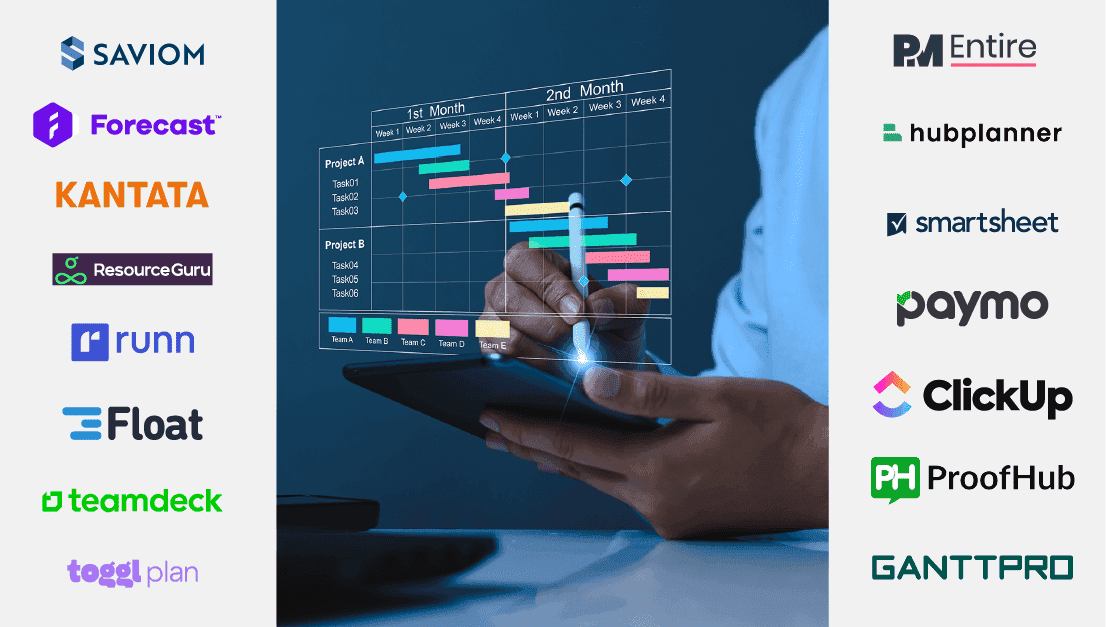
Most project-driven organizations rely on cumbersome spreadsheets and home-grown solutions to schedule their resources. These tools are time-consuming and challenging to maintain, resulting in double bookings, schedule overruns, sub-optimal resource utilization, etc.
Therefore, organizations must embrace modern resource scheduling software that helps them identify and allocate the right workforce to projects. Amidst a myriad of options, selecting the ideal resource scheduling software can be a daunting task.
To make it easier for you, we have listed the top 10 software and a comprehensive review of each tool to empower you in making an informed decision.
Let’s get started!
| Tool | Tagline | Website link | |
| 1 | Saviom | Best Resource Scheduling Software for Enterprises | Visit Website https://www.saviom.com/ |
| 2 | PMEntire | Best Resource Scheduling Tool for Professional Services | Visit Website https://www.pmentire.com/ |
| 3 | Paymo | Robust Scheduling Tool for Multi-tasking Teams | Visit Website https://www.paymoapp.com/ |
| 4 | Hub Planner | Leading Resource Scheduling Tool for Remote and Hybrid Teams | Visit Website https://hubplanner.com/ |
| 5 | Kantata | Best Resource Scheduling Platform for Project Teams | Visit Website https://www.kantata.com/ |
| 6 | ResourceGuru | Best Resource Scheduling Solution for Balancing Team Workloads | Visit Website https://resourceguruapp.com/ |
| 7 | Float | Best Resource Scheduling Software for Digital Agencies | Visit Website https://www.float.com/ |
| 8 | Toggl Plan | Top Resource Scheduling Solution for Small Teams | Visit Website https://toggl.com/plan/index |
| 9 | Smartsheet | Top-notch Resource Scheduling Software for Agile Work Environments | Visit Website https://www.smartsheet.com/platform/resource-management |
| 10 | Runn | Top Scheduling Tools Tailored for Agile Teams | Visit Website https://www.runn.io/ |
Best Resource Scheduling Software for Enterprises
Best for: Medium to enterprise-level organizations
Saviom, a next-gen resource scheduling software, is the preferred choice for leading Fortune 500 enterprises in 50+ nations. With an extensive track record over two decades, Saviom has successfully empowered clients to meet dynamically changing demands effectively.
What makes Saviom unique?
The multi-dimensional scheduler offers 360-degree visibility and advanced filters, enabling managers to identify and allocate the workforce based on various attributes like skills, competencies, cost, and location. Its intuitive drag-and-drop functionality, combined with the Gantt chart view, allows for instantaneous bookings to address fluctuating demands effectively. The bulk booking feature enables businesses to seamlessly book, reassign, and modify multiple schedules to meet dynamic demands efficiently.
Furthermore, the built-in reporting analytics provide in-depth analysis of availability, capacity, demand, and other critical metrics. Additionally, businesses can effectively fulfill pipeline project demand by booking generic resources for projects. The automated resource requisition workflows simplify the scheduling process and eliminate booking conflicts.
Moreover, the open-seat feature enables resources to express their interest in vacant positions in the project. With the help of what-if analysis functionality, managers can create and compare various scenarios to overcome resource constraints. In essence, Saviom’s enterprise resource scheduling software offers an array of advanced capabilities, making it a powerful asset for your organization.
Core Features
Pricing Structure
Saviom offers three types of license models: the Power, Lite, and Non-User. The pricing is based on the number of licenses and the product requirements of your organization. The tool provides a 60-day free trial period.
Pros & Cons
| PROS | CONS |
| Provides 360-degree visibility of resource schedules | It is ideal for medium- to large-scale organizations with complex scheduling requirements |
| Advance filters help to slice and dice resource schedules based on their role, location, skills, etc. | Interfaces display abundant information concurrently |
| Gives instant alerts and notifications in case of resource overloading | Pricing details are provided exclusively upon inquiry |
| It’s easy to split, reassign bookings, bulk update, and bulk bookings with a few clicks | |
| Ensures timely resource allocation with forecasting and capacity planning |
Best Resource Scheduling Tool for Professional Services
Best for: Small to medium organizations
PMEntire is a Saas-based resource scheduling software with an easy-to-use interface and advanced features. Professional services organizations of all sizes can harness the power of this software to maximize efficiency and profitability.
What makes PMEntire unique?
PMEntire resource scheduling software goes beyond conventional scheduling practices and helps your organization build a highly efficient workforce. The tool’s capabilities, like complete visibility and filters, empower managers to identify the right people to be allocated to projects. Moreover, the early warning systems prevent resource over or underloading risks, ensuring balanced work allocation. The robust resource scheduler offers powerful real-time reports and analytics that enable your organization to monitor and adjust schedules as required.
Moreover, managers can effectively allocate resources by factoring in vacations and leave days through the leave management functionality. Besides, the modeling and simulation capability helps you create optimized schedules under resource constraints. The tool seamlessly integrates with your organization’s other systems to ensure data consistency. Thus, if you are looking for resource scheduling software that eliminates conflicts and maximizes workforce utilization, PMEntire is the ideal solution.
Core Features
Pricing Structure
Pricing details for PMEntire are provided upon inquiry. You can try the product’s 60-day free trial.
Pros & Cons
| PROS | CONS |
| Provides customizable and affordable solutions suitable for businesses of every size | Exploring the tool’s functionality requires a thorough understanding |
| Advanced forecasting assists in efficient workforce optimization | It does not provide on-premises hosting capability that is suitable for large organizations |
| Real-time BI reports help track crucial resource metrics | |
| Role-specific dashboards prevent information overload |
Robust Scheduling Tool for Multi-tasking Teams
Best for: Small to medium businesses
Paymo is a versatile resource scheduling software that integrates native time tracking, task management, Gantt charts, and invoicing features. It offers precise insights into team activities and workload distribution and ensures efficient utilization of resources.
What makes Paymo unique?
Paymo offers robust task management capabilities that help you plan task durations and set dependencies between them. It consolidates team capacity, workload, and availability into a visual timeline, empowering you to allocate resources effectively across your organization. With Paymo, ghost bookings are automatically created based on task dates, reducing the manual workload of adding them. You can switch seamlessly between weekly, bi-weekly, and monthly views to forecast upcoming resource requirements.
Additionally, Paymo offers integrated leave planning and time tracking modules, enabling managers to assess resource availability and utilization effectively. Furthermore, its comprehensive reporting analytics provide various static and real-time reports, exportable in various formats. Overall, Paymo serves as a powerful resource booking software seamlessly adaptable to your current business infrastructure, enhancing scheduling efficiency.
Core Features
Pricing Structure
Paymo offers four types of pricing plans. Users have free access to basic plans. The Starter plan is priced at $5.9, the Small Office plan starts at $10.9, and the Business plan is priced at $16.9. It includes a 15-day unlimited free trial period.
Pros & Cons
| PROS | CONS |
| Efficient & hassle-free time-tracking features | Lack of personalized project list |
| Helps organize tasks and projects neatly | Lack of intuitiveness, resulting in steep learning curve |
| Provides excellent customer support |
Leading Resource Scheduling Tool for Remote and Hybrid Teams
Best for: Suitable for all business sizes
Hub Planner AB caters to global clients with a SaaS-based resource scheduling solution. The tool enables businesses to transition from cumbersome spreadsheets and complicated software to a simplified resource planning tool.
What makes Hub Planner unique?
Hub Planner is a robust software for resource scheduling and capacity management. The tool offers a real-time bird’s eye view of your resources and advanced filters that help identify and allocate workforce based on their skills, availability, etc. Besides, the tool’s intuitive interface helps manage team assignments and project timelines effectively. The simple drag-and-drop booking interface efficiently organizes teams and adjusts bookings.
Moreover, dynamic heat maps offer clear visibility of schedule gaps and availability. Hub Planner integrates with popular tools like Microsoft Outlook, Google Calendar, etc., enabling easy schedule management. Furthermore, Hub Planner provides add-ons to expand its capabilities, including advanced reporting tools and extra features for resource management. Thus, Hub Planner is the go-to option if you seek a solution to manage your resources efficiently.
Core Features
Pricing Structure
Hub Planner offers three pricing plans and depends on the features chosen and the number of users. Plug & Play is the basic plan priced at $7. The Premium plan is $18, and the pricing for the Business Leader plan is available on request. Hub Planner provides a 14-day free trial period.
Pros & Cons
| PROS | CONS |
| Provides an intuitive interface to manage resources and projects effectively | New users may encounter a steep learning curve due to an extensive feature set |
| Comprehensive reporting capabilities provide in-depth insights into resource utilization and project performance | Customization options are limited |
| Smooth integration with various tools | Pricing of the tool is comparatively higher |
Best Resource Scheduling Platform for Consulting Teams
Best for: Small to mid-size Professional Service Firms
Kantata is a fully integrated resource management and PSA platform that combines key planning, execution, project accounting, and analysis systems under one unified platform. It helps keep your business and projects on track and unlock the true potential of your resources.
What makes Kantata unique?
Kanata offers several project and resource management modules, accounting, team collaboration, etc. Moreover, the tool’s built-in BI capabilities consolidate data from various systems, facilitating seamless planning, scheduling, and allocation adjustments. Furthermore, the optimized resource recommendations functionality helps align the appropriate resources with project demands.
In addition, the collaboration feature enables team members to communicate in one place and ensure everyone is on the same page. Besides, the forecasting capabilities help you to foresee and plan resources for pipeline projects accurately. The tool offers complete visibility into the available resources that allow smarter workforce scheduling. In essence, Kantata’s resource scheduler integrates data and insights, optimizing resource utilization.
Core Features
Pricing Structure
Kantata’s pricing options are available on request. You can request a free demo.
Pros & Cons
| PROS | CONS |
| Streamlines task organization | Limited integrations and customization options |
| Offers real-time collaboration | Users may encounter a steep learning curve in navigating and grasping the functionalities |
| Provides comprehensive reporting features that help track project progress efficiently | Poor customer support |
Best Resource Scheduling Solution for Balancing Team Workloads
Best for: Businesses of all sizes
Resource Guru is a project management solution crafted to enhance team productivity by efficiently organizing resources and project schedules. It tackles critical issues such as resource overallocation, scheduling conflicts, etc.
What makes Resource Guru unique?
Resource Guru provides enhanced visibility into resource availability and empowers users to optimize scheduling and project planning processes. Moreover, the resource scheduler offers a bird’s eye view of all the staff and enables you to track the over and underutilization of the employees. With the help of drag-and-drop capabilities and robust filters, managers can effectively schedule resources based on attributes such as “Skill,” “Department,” “Location,” etc.
Besides, the software’s leave management functionality provides a complete view of team availability within the resource scheduling interface, encompassing holidays and approved time off. In addition, the clash management feature quickly detects and resolves scheduling conflicts, ensuring optimal resource allocation and eliminating double-booking. Thus, Resource Guru software is an easy and friendly scheduling application designed to enhance efficiency and drive productivity.
Core Features
Pricing Structure
Resource Guru provides three types of pricing plans, and they are applicable per person and per month. This includes the Grasshopper plan, available at $4.16; the Blackbelt plan, priced at $6.65; and the Master plan at $10. You can sign up for the 30-day free trial period.
Pros & Cons
| PROS | CONS |
| Provides an intuitive UI/UX that is easy to navigate easy and customizable to meet businesses specific needs | Offers limited customization options |
| Robust reporting capabilities for data-driven decision-making | Not equipped with advanced project management features |
| Provides clear visibility into the resource workloads that enables efficient allocation | Lacks in-built collaboration features |
Best Resource Scheduling Software for Digital Agencies
Best for: Businesses of all sizes
Float is a top-notch resource management and scheduling software catering to project teams. It’s designed to meet the needs of project managers, team leads, and agencies who seek to optimize their scheduling workflow.
What makes Float unique?
Float offers a user-friendly visual timeline, which makes it easy for users to comprehend team schedules and project timelines. In addition, by leveraging scheduling shortcuts, users can efficiently adjust timelines and reassign or assign multiple tasks with a single click. The schedule view also helps visualize the team’s workload and manage resource capacity effectively.
With its powerful reporting and analytics features, Float creates customizable reports covering diverse project and resource metrics. Additionally, it facilitates filtering options by personnel, tags, and other criteria, helping to compare logged vs. scheduled hours. In essence, Float is suitable for those searching for advanced software that enables real-time planning and scheduling.
Core Features
Pricing Structure
Float offers simple pricing with three plans. The starter plan is available at $6, the Pro plan costs $10, and the Enterprise plan cost is available upon request. It provides a 14-day free trial.
Pros & Cons
| PROS | CONS |
| Easy-to-use interface | It is challenging for new users to navigate and understand the tool |
| Flexible time-tracking capabilities | Not equipped with advanced project management features |
| Provides real-time updates and integrations for enhanced workflow efficiency | It provides limited customization and integration possibilities |
Top Resource Scheduling Solution for Small Teams
Best for: Small to medium-scale businesses
Toggl Plan is an intuitive resource scheduling platform designed to help businesses plan, delegate, and monitor their teams’ tasks. Its easy-to-use interface and customizable features allow users to create visual timelines and resource calendars.
What makes Toggle Plan unique?
Toggl Plan offers a vibrant and user-friendly design that simplifies the process of project planning and resource scheduling. Moreover, an intuitive drag-and-drop interface empowers managers to effortlessly create or modify checklists and assign tasks to teams across the organization. The tool provides your teams with work transparency and eliminates burnout by effectively balancing workloads.
Besides, the software provides a bird’s eye view of projects to stakeholders and enables resources to access tasks in one place. Furthermore, the tool provides functionalities such as real-time updates, time-tracking, and robust reporting, all of which contribute to preventing scheduling conflicts. Overall, Toggl Plan enables you to schedule resources and execute projects smoothly, eliminating the need for last-minute rushes.
Core Features
Pricing Structure
The Toggle plan offers two pricing plans, which can be taken monthly or annually. The Team plan is $8, and the Business plan is $13.35. It offers a 14-day free trial period.
Pros & Cons
| PROS | CONS |
| Provides timeline-first project view | Difficult to identify functionalities in mobile and web app |
| Robust reporting features | Lacks advanced project management capabilities |
| User-friendly interface |
Top-notch Resource Scheduling Software for Agile Work Environments
Best for: Organizations of all sizes
Smartsheet is a robust project management and works collaboration tool. With an interface like a spreadsheet, its functionality transcends traditional spreadsheet capabilities, offering many advanced capabilities.
What makes Smartsheet unique?
Smartsheet provides holistic visibility into your team’s capability to efficiently handle schedules, adjust instantly, and promptly visualize how they impact the project’s budget. Furthermore, the intuitive drag-and-drop functionality allows managers to easily assign tasks, fine-tune resource schedules, and establish deadlines whenever necessary. Moreover, users can anticipate staffing demands and create placeholders for future projects.
Besides, the availability sorting feature allows users to identify available and overbooked team members, enabling quick adjustments to ensure balanced workload distribution. It also helps forecast future hiring demands by analyzing utilization heat maps across individuals and team distributions. Altogether, Smartsheet is an excellent option for businesses seeking to enhance resource scheduling and drive improved business results.
Core Features
Pricing Structure
Smartsheet offers four pricing models: a Free plan for $0, a Pro plan for $7, and a Business plan for $25. The Enterprise plan pricing details are provided on request. It offers a 14-day free trial.
Pros & Cons
| PROS | CONS |
| Offers more than 70 app integrations | Pricing is comparatively higher |
| Robust and highly customizable dashboards | Real-time updating of pages is not available |
| Automate workflows using spreadsheets and pre-built templates | Interactive spreadsheets lack automatic syncing of changes |
Top Scheduling Tools Tailored for Agile Teams
Best for: Small to medium businesses
Runn is a versatile work management and resource scheduling software tailored for project planning, tracking, and forecasting. It caters to project managers and teams seeking streamlined scheduling and optimized resource allocation.
What makes Runn unique?
Runn helps organizations balance workload, improves visibility, and streamlines project delivery processes. With drag-and-drop capability and robust filters, users can easily identify and schedule resources to project tasks. Furthermore, its dynamic bird’s eye view provides quick insights into resourcing patterns and highlights any instances of overbooking.
Runn also enables users to adjust and modify schedules promptly, avoiding potential resource risks in projects. Furthermore, the tool offers a placeholder feature that empowers managers to define capacity, roles, and skills for unavailable resources. Team members can also utilize Runn to track their task-specific time allocation, providing managers with insights for progress monitoring and schedule adjustments. In essence, Runn streamlines team planning and resource scheduling with its extensive feature set and reporting capabilities.
Core Features
Pricing Structure
Runn offers three pricing plans, a Free plan for $0, a Pro plan for $8, and the Enterprise plan for which pricing is provided on request. It provides a 14-day free trial period.
Pros & Cons
| PROS | CONS |
| Intuitive interface that simplifies resource scheduling | Inadequate customization abilities |
| Offers accurate forecasting insights for improved decision-making on pipeline projects | The steep learning curve for new users |
| Robust reports and analytics provide an extensive overview of project performance and resource allocation. | Integrating with specific external systems may pose complexities |
| Tool | Suitable For | Pricing | Website |
| Saviom | Medium to enterprise-level organizations | Prices available on request | Website |
| PMEntire | Small to medium companies | Prices available on request | Website |
| Paymo | Small to medium companies | Starts from $5.9 per month | Website |
| HubPlanner | Suitable for all business sizes | Starts from $7 per month | Website |
| Kantata | Small to medium Professional Services Organizations | Prices available on request | Website |
| Resource Guru | Businesses of all sizes | Starts from $4.16 per month | Website |
| Float | Businesses of all sizes | Starts from $6 per month | Website |
| Toggle Plan | Small to medium-scale organizations | Starts from $8 per month | Website |
| Smartsheet | Organizations of all sizes | Starts from $0 per month | Website |
| Runn | Small to medium companies | Starts from $0 per month | Website |
In our pursuit of identifying the best resource scheduling software, we have meticulously evaluated the leaders in the market. Here is a rundown of the fundamental criteria for determining the top 10 resource scheduling software options.
Evaluate the tool’s features and functionalities and ensure it aligns with your business requirements. The software must provide real-time data on employees’ availability, skills, capacity, etc., for effective resource scheduling.
A seamless interface and user experience are crucial for fast adoption and efficiency. The software should be easy to navigate, intuitive, and visually appealing, facilitating smooth user interaction at all levels.
The software should offer flexibility in configuration to adapt to the organization’s unique workflows and requirements. Additionally, it should be scalable to accommodate growth and changes in the company’s size or complexity over time without significant disruptions.
Assess the software’s reporting and analytics capabilities to ensure it has multiple visualization capabilities, like graphs, dashboards, charts, etc., that help make better data-driven decisions. Additionally, you must be able to export or download these reports in multiple formats like CSV, PDF, and Excel, facilitating effortless sharing of critical information.
Select a workforce scheduling software that seamlessly integrates with your existing business ecosystem, such as project management software, HR systems, etc., to facilitate smooth data exchange and multi-dimensional scheduling.
The cost of the software, including licensing fees, subscription plans, implementation, and ongoing support, should be evaluated with the value it delivers. The pricing structure should be transparent and aligned with the organization’s budgetary constraints and expected ROI.
Want to know more options? Here is a list of seven more alternatives that can help you choose the best to meet your requirements:
| Tool | Tagline | Website link | |
| 11 | Teamdeck | Advanced Team Scheduling Tool for Tech and Creative Agencies | Visit Website |
| 12 | Productive | Best Resource Scheduling Software for Agencies | Visit Website |
| 13 | Monday.com | Top Resource Scheduling Software for Enterprises | Visit Website |
| 14 | ClickUp | Leading Project Scheduling Software | Visit Website |
| 15 | ProofHub | Best Resource Scheduling Solutions for Team Collaboration | Visit Website |
Resource scheduling involves assigning and managing resources for tasks, projects, or activities to enhance overall efficiency and productivity. This process includes identifying resource requirements, assessing availability, and scheduling suitable resources to meet project demands.
Resource scheduling software is an advanced solution that helps organizations identify and assign various resources, like people, equipment, materials, etc., to tasks or projects. It streamlines the process by centralizing resource-related data, allowing supervisors to gain a comprehensive overview of workforce availability, task distribution, and project tracking capabilities.
Effective scheduling is vital for optimizing project quality and ensuring timely delivery. It facilitates deploying the right workforce in advance, preventing last-minute firefighting for resources. In addition, since resources are scheduled by considering factors like skills, cost, and availability, it also enhances efficiency and productivity.
It also enables managers to optimize productivity by deploying resources strategically and tracking their utilization. By allocating cost-effective resources, scheduling enhances business profitability, reducing expenses and improving overall ROI.
Common challenges in resource scheduling include poor visibility into pipeline projects due to legacy tools, leading to last-minute resource shortages. In addition, bottlenecks such as conflicting priorities, changing client requirements, etc., make it challenging to align the right resources with the right tasks. It results in overburdening and double booking, leading to burnout. Moreover, factors like communication gaps, poor collaboration between project managers, etc., can further complicate scheduling efforts, leading to inefficiencies and delays in project delivery.
Once the Work Breakdown Structure (WBS) is created, managers must assess the resource requirements for each task based on their criticality. After identifying the demands, project managers should request these resources. This enables the resource manager to review the talent pool, identify competent resources, and allocate them to projects. Once the request is fulfilled, project managers can evaluate the skills and competencies of the resources and deploy them to tasks that match their skills.