





Why Cyber Security Should Be an Essential Part of Daily Life
October 19, 2026
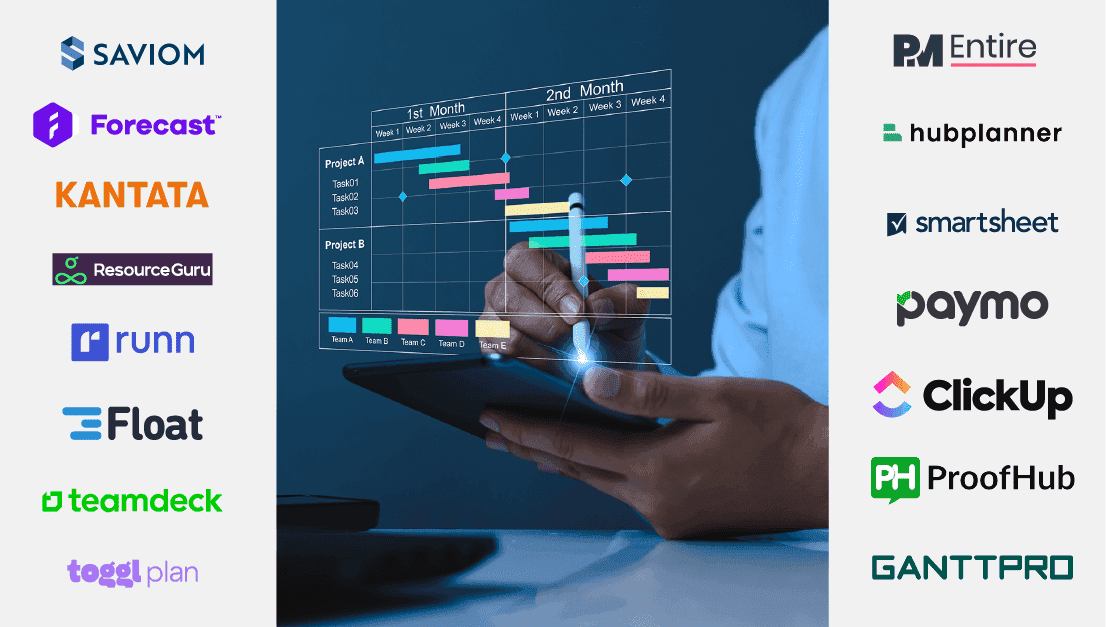
In today’s fast-paced business landscape, effective resource management isn’t just advantageous; it’s a necessity for survival and success. Fortunately, the digital age has blessed us with a multitude of free resource management software. These tools empower businesses of all sizes to streamline operations, boost productivity, and achieve their goals without breaking the bank.
Read this blog to acquire all the necessary information to confidently choose the ideal free resource management system for your organization.
Let’s get started.
| SL.No | Company Name | One-line description | Read more |
| 1 | Runn | Powerful resource management software for the modern workforce
|
Visit Website https://www.runn.io/ |
| 2 | GoodDay | All-in-one work management platform for teams of all sizes
|
Visit Website https://www.goodday.work/ |
| 3 | Planforge | Highly adaptive solution for comprehensive project & resource planning | Visit Website |
| 4 | Smartsheet | Best tool for keeping project schedules & budgets on track | Visit Website https://www.smartsheet.com/ |
| 5 | Teambook | Ideal for team scheduling and resource planning in fast-paced environments | Visit Website https://teambookapp.com/ |
| 6 | Wrike | Best for streamlining workflows and enhancing team efficiency | Visit Website https://www.wrike.com/ |
| 7 | Teamwork | Best-in-class for tracking projects, teams, and clients under one platform | Visit Website https://www.teamwork.com/ |
| 8 | Ganttic | Powerful resource management system to manage project portfolios and teams | Visit Website https://www.ganttic.com/ |
| 9 | Asana | A comprehensive solution for seamless project and resource management | Visit Website https://asana.com/ |
| 10 | TeamGantt | A robust tool with intuitive Gantt charts and task management abilities | Visit Website https://www.teamgantt.com/ |
Powerful project resource management software for the modern workforce
Best for: Small to medium-sized businesses
Runn is a dynamic resource management solution designed to streamline various resource-centric workflows and functionalities. It simplifies project resource forecasting, planning, and tracking, ultimately boosting your team’s productivity.
What makes Runn special?
Runn’s advanced resource forecasting capabilities enable organizations to predict resource needs for upcoming projects, ensuring a well-prepared talent pool for timely project initiation. The software’s centralized dashboard provides a holistic view of tasks, projects, and resource metrics, allowing managers to allocate and manage resources effectively and optimize team productivity.
Moreover, Runn’s real-time reporting and dashboards offer valuable insights into workforce performance, empowering organizations to make data-driven decisions and drive overall efficiency. By leveraging these advanced resource management system capabilities, businesses can strategically plan and manage resources, improving project execution and success.
Core Features
Pricing Structure
Runn follows a tiered pricing model based on the number of resources:
The free version allows unlimited users and projects, whereas the pro plan is $8 per person per month. Users can avail custom plans as well. Runn offers a free demo and a 14-day trial plan for the premium version.
Pros & Cons
| PROS | CONS |
|
|
|
|
|
|
|
All-in-one work management platform for teams of all sizes
Best for: Small, medium and large enterprises
GoodDay is a comprehensive resource management solution offering a wide range of features, such as workload balancing, skill tracking, and capacity planning, contributing to enhanced project outcomes.
What makes GoodDay special?
GoodDay’s robust skills matrix empowers managers to assign tasks based on team members’ unique competencies, expertise, and experience, ensuring that the most qualified resources are allocated to each task. The tool also provides visual representations of individual workloads, allowing managers to adjust assignments as needed to maintain balance across projects and prevent over- or underutilization of resources.
Additionally, GoodDay’s precise time-tracking features offer users an accurate understanding of task durations. Weekly timesheets compile this information, detailing the time spent by the team on each task. Furthermore, an integrated AI engine analyzes time spent on tasks without requiring manual input from the team, enhancing the efficiency and accuracy of resource tracking.
Core Features
Pricing Structure
GoodDay follows a tiered pricing model based on the number of resources.
The free forever plan is for 1-15 users. There are paid plans, such as the professional plan priced at $4 per user/month for 5-250 users, the Business plan for $7 per user/month for 15-350 users, and a custom-priced enterprise-level plan is also available. A free demo is available. It also comes with a small team special offer.
Pros & Cons
| PROS | CONS |
|
|
|
|
|
Highly adaptive comprehensive project & resource management tool
Best for: Small to medium-sized firms
Planforge is an all-in-one resource management tool that optimizes resource allocation, time tracking, and reporting processes, enabling organizations to accomplish their project objectives efficiently.
What makes Planforge special?
Planforge’s advanced resource forecasting features empower users to anticipate future resource requirements based on project timelines and demands. This capability ensures that organizations have the necessary capacity to undertake tasks successfully. The intuitive resource scheduling interface, with its drag-and-drop functionality, streamlines the process of assigning tasks to team members and modifying schedules as needed.
The tool allows for planning at both the individual resource and team levels. By designating teams early in the process, managers can proactively plan and allocate specific resources later as needed. Lastly, Planforge’s highly visual utilization analysis and histogram assist managers in identifying potential conflicts, overloads, and absences, thus maintaining an optimum resource health index.
Core Features
Pricing Structure
Planforge follows a tiered pricing model based on the number of resources. A free plan for Up to 4 Users is available. LEAN plan for 5+ Users is available for $4,905.07 per user/month, a PROFESSIONAL plan for 5+ Users starting from $5,777.08 per user/month, and an ENTERPRISE plan for 5+ Users is available for $8,611.12 per user/month. A 30-day free trial plan for premium is also available.
Pros & Cons
| PROS | CONS |
|
|
|
|
|
|
Best tool for keeping project schedules & budgets on track
Best for: Startups to enterprise-level organizations.
Smartsheet is a versatile project management tool that streamlines resource-centric processes, improves employee productivity, and enhances project delivery.
What makes Smartsheet special?
Smartsheet provides comprehensive visibility into the resource pool, enabling managers to select the most suitable resources based on skills, competencies, experience, and availability and schedule them to projects. The software’s customizable dashboards and reports provide real-time insights into essential metrics, facilitating data-driven decision-making.
Smartsheet enables users to set up alerts and notifications for resource allocation changes. This ensures that project managers are notified of any changes to resource assignments or availability, allowing them to respond quickly and adjust plans as needed. Finally, the tool’s smart integration capabilities enable firms to seamlessly connect with popular third-party platforms, making data import and export between systems effortless.
Core Features
Pricing Structure
Smartsheet follows a tiered pricing model based on the number of users. A completely free plan is available. The pro plan starts from $7 per month/ user, the business plan is from $25 per month/user, and a custom-priced enterprise plan is also available. A free demo can be availed.
Pros & Cons
| PROS | CONS |
|
|
|
|
|
|
|
|
Ideal resource planning and scheduling tool in fast-paced environments
Best for: Medium-sized to large enterprise-level businesses
Teambook enables organizations to optimize workforce utilization levels and steer clear of bottlenecks in the project resource planning process.
What makes Teambook special?
Teambook’s visual scheduling interface enables users to schedule smarter, plan better, and realize their team’s full potential. The platform enables all users to enter, track, and export their time logged to ensure hourly billed services are correctly transferred to invoicing systems.
Its unique 24-month rolling capacity planning capability allows users to conduct staffing analysis and simulations, facilitating informed staffing decisions. This enables companies to effectively align their staffing requirements with future opportunities. Furthermore, the tool ensures seamless integration with existing and future dedicated tools through API and integration capabilities.
Core Features
Pricing Structure
Teambook follows a tiered pricing model based on the number of resources. A free plan for upto ten projects is available. Pro plans start from $45 per month for small plans, $75/ month for medium plans, and $90 /month for large plans. A free trial is also available.
Pros & Cons
| PROS | CONS |
|
|
|
|
|
Best for streamlining workflows and enhancing team efficiency
Best for: Medium-sized to large enterprise-level businesses
Wrike empowers teams with comprehensive resource management system capabilities, facilitating efficient task allocation, workload balancing, and real-time collaboration, ensuring optimal productivity and project success.
What makes Wrike special?
Wrike offers comprehensive workforce visibility, enabling firms to allocate the most suitable resources to projects efficiently. With its powerful forecasting capabilities, users can anticipate future resource demands and take proactive steps to fulfill those requirements.
Wrike’s resource planning feature includes job role placeholders, allowing managers to allocate time to roles that are yet to be filled due to pending hiring decisions or the need for additional resources. This approach enhances the organizational planning process and ensures projects are sufficiently staffed from the outset.
Core Features
Pricing Structure
Wrike follows a tiered pricing model based on the number of resources: an entirely free plan can be availed. Pro plans start from $9.80 monthly for Team level 2-25 users, Business plans from $24.80 for 5-200 users, and priced Enterprise plans and Pinnacle plans are available. A 14-day free trial for the pro plan is also available.
Pros & Cons
| PROS | CONS |
|
|
|
|
|
Best-in-class for tracking projects, teams, and clients under one platform
Best for: Small to medium-sized businesses
Teamwork provides robust features for streamlining resource planning, task allocation, and utilization processes, ensuring optimal workforce efficiency.
What makes Teamwork special?
Teamwork’s advanced scheduling tool facilitates task prioritization in response to changing deadlines or priorities using a simple drag-and-drop function. It also offers resource utilization reports that provide insights into how resources are utilized across projects.
Through these reports, users can track resource usage, identify bottlenecks or underutilized resources, and make data-driven decisions to ensure optimum resource utilization. Lastly, the automated alerts and notifications keep team members informed about upcoming deadlines or potential scheduling conflicts, providing timely responses to these resource-related issues.
Core Features
Pricing Structure
Teamwork follows a tiered pricing model based on the number of resources. An entirely free plan for up to five users is available. Pro plans start from $9.99 per user per month for the Dream level and $19 for the Grow level, and custom-priced Scale plans can be opted for. A 30-day free trial of the pro plan is also available.
Pros & Cons
| PROS | CONS |
|
|
|
|
|
|
|
|
|
Powerful resource management system to manage project portfolios and teams
Best for: Small, medium, and large firms
Ganttic provides efficient resource management solutions that empower organizations to optimize project portfolios and enhance workforce productivity.
What makes Ganttic special?
Ganttic’s user-friendly interface allows users to customize resource views to suit their organization’s specific needs. The tool’s easy drag-and-drop scheduling enables quick task assignment and schedule adjustments as required.
The software also promotes collaboration among team members during resource planning by facilitating real-time communication and coordination within the platform. Furthermore, Ganttic integrates with external platforms, ensuring smooth data synchronization and workflow continuity.
Core Features
Pricing Structure
Ganttic follows a tiered pricing model based on the number of resources. A fully free plan for up to 10 resources is available. The tool has many pro plans, starting from $25 per month for 20 resources and going up to $790 monthly for 1500 users. Fourteen days of free trial of the premium version of the tool is also available.
Pros & Cons
| PROS | CONS |
|
|
|
|
|
|
|
|
|
A comprehensive solution for seamless project and resource management
Best for: Medium to large enterprise-level business
Asana offers robust features that provide visibility and enable effective planning and tracking of resources. Users can accurately plan timelines, adjust workloads, and monitor progress to ensure alignment with organizational strategies.
What makes Asana special?
Asana’s flexible project management tool offers customizable resource views that enable users to conquer their goals with ease and efficiency. The software’s user-friendly interface and drag-and-drop functionality enable managers to prioritize and schedule tasks efficiently, ensuring that teams are not overloaded and can quickly adapt to changing circumstances.
Its accurate time-tracking and reporting dashboards provide valuable insights into resources’ workloads and project progress, empowering users to make strategic decisions and troubleshoot any issues that may arise. Lastly, Asana integrates seamlessly with a wide range of third-party tools and platforms, such as Slack, Google Drive, and Microsoft Teams, allowing users to connect quickly and streamline workflows.
Core Features
Pricing Structure
Asana follows a tiered pricing model based on the number of resources. A completely free plan is available. Pro plans are available at $10.99 monthly for the starter level and $24.99 for the advanced level. Users can avail a free demo as well.
Pros & Cons
| PROS | CONS |
|
|
|
|
A robust tool with intuitive Gantt charts and task management abilities
Best for: Medium-sized to large enterprise-level businesses
TeamGantt offers a robust visual planner designed to simplify resource planning processes and ensure competent resource allocation.
What makes TeamGantt special?
TeamGantt’s user-friendly interface, coupled with advanced filtering capabilities, allows managers to navigate and access resources, teams, and projects across the organization efficiently. It provides insights into each team member’s workload across multiple projects. This enables managers to identify potential resource conflicts or overloads and make adjustments to ensure balanced work distribution.
The software also offers customization options, such as Gantt charts, Kanban-style boards, lists, and calendars, enabling users to tailor their resource planning processes to align with their business requirements. In addition to its customization features, TeamGantt excels in its integration capabilities, allowing seamless connections with popular third-party tools.
Core Features
Pricing Structure
TeamGantt follows a tiered pricing model based on the number of resources. A completely free plan can be selected. Paid plans start from $19 per month for Lite, $49 per month for Pro, and custom-priced Unlimited plans are also available. A free 30-day trial plan of the pro version is available.
Pros & Cons
| PROS | CONS |
|
|
|
|
|
| SL.No | Tool | Suitable For | Pricing | Website Link
|
| 1 | Runn | Small to medium-sized businesses | Free version and premium plans are available | https://www.runn.io/
|
| 2 | GoodDay | Small, medium, and large enterprises | Free version and premium plans are available
|
https://www.goodday.work/
|
| 3 | Planforge | Small to medium-sized firms | Free and premium plans are available
|
https://www.planforge.io/en
|
| 4 | Smartsheet | Small to large organizations | A free plan with limited features & other premium plans available. | https://www.smartsheet.com/
|
| 5 | Teambook | Medium-sized to large enterprise-level businesses | Free and premium plans are available
|
https://teambookapp.com/
|
| 6 | Wrike | Medium-sized to large enterprise-level businesses | Free and premium plans are available
|
https://www.wrike.com/
|
| 7 | Teamwork | Small to medium-sized businesses
|
Free and premium plans are available
|
https://www.teamwork.com/
|
| 8 | Ganttic | Small, medium, and large firms | Free plans with limited features & premium plans are available.
|
https://www.ganttic.com/
|
| 9 | Asana | Medium-sized to large enterprise-level businesses
|
Free plans with most features & premium plans are available.
|
https://asana.com/
|
| 10 | TeamGantt | Medium-sized to large enterprise-level businesses
|
Free plan with limited features & premium plans available.
|
https://www.teamgantt.com/
|
Think of your software as a Swiss Army knife—versatile, multifunctional, and tailored to your needs. Look for tools that offer a comprehensive suite of features, from task management and team collaboration to project & resource tracking and reporting.
Today, convenience and ease of navigation matter a lot. Therefore, choose software with a sleek, intuitive interface that is easy to navigate and simultaneously offers a convenient and pleasant user experience.
Your business is constantly evolving and adapting to its environment and market changes. Your software should also be able to mirror this adaptability and offer custom workflows and scalable solutions to accommodate growth.
Seek out software that provides actionable insights through robust analytics and customizable reports, enabling you to make informed decisions and course corrections if required. With detailed analytics, you can uncover trends, identify bottlenecks, and optimize your resources for maximum efficiency.
Just as a symphony is composed of many instruments, your software should be able to integrate other tools and services in your ecosystem seamlessly. This will ensure that all data from multiple business applications are consolidated to provide a single source of truth and avoid data duplication.
| SL. NO | Name | Tagline | Website Link |
| 1 | Kantata | Best solution for professional services teams | https://www.kantata.com/ |
| 2 | Paymo | Best for resource and task management for SMBs | https://www.paymoapp.com/ |
| 3 | ClickUp | Best for unlimited tasks and members | https://clickup.com/ |
| 4 | nTask | Best for end-to-end project resource management | https://www.ntaskmanager.com/ |
| 5 | Avaza | Best all-in-one solution for project, resource, and task management | https://www.avaza.com/ |
We trust that this guide has assisted you in choosing a free resource management software solution that perfectly aligns with your organization’s unique needs and objectives.
Efficient resource management system is the backbone of successful businesses, enabling optimal allocation of time, personnel, and assets to achieve goals effectively. It allows businesses to manage their resources without incurring additional expenses. This benefits startups, small businesses, or non-profit organizations with limited budgets.
Given below are some of the core features to look for in a free resource management software –
These features streamline operations and boost productivity, contributing to organizational efficiency and success.
While free resource management software offers many valuable features, it may have limitations such as fewer customization options, user restrictions, limited integrations, and fewer add-ons than paid versions.
Paid resource management system software typically offers more advanced features, enhanced customization options, and dedicated customer support, making them suitable for larger organizations with complex needs, which may be lacking in free versions.
While most free resource management software providers prioritize data security, businesses should conduct thorough assessments and choose trustworthy vendors to mitigate security risks and protect sensitive information.