





Why Cyber Security Should Be an Essential Part of Daily Life
October 19, 2026
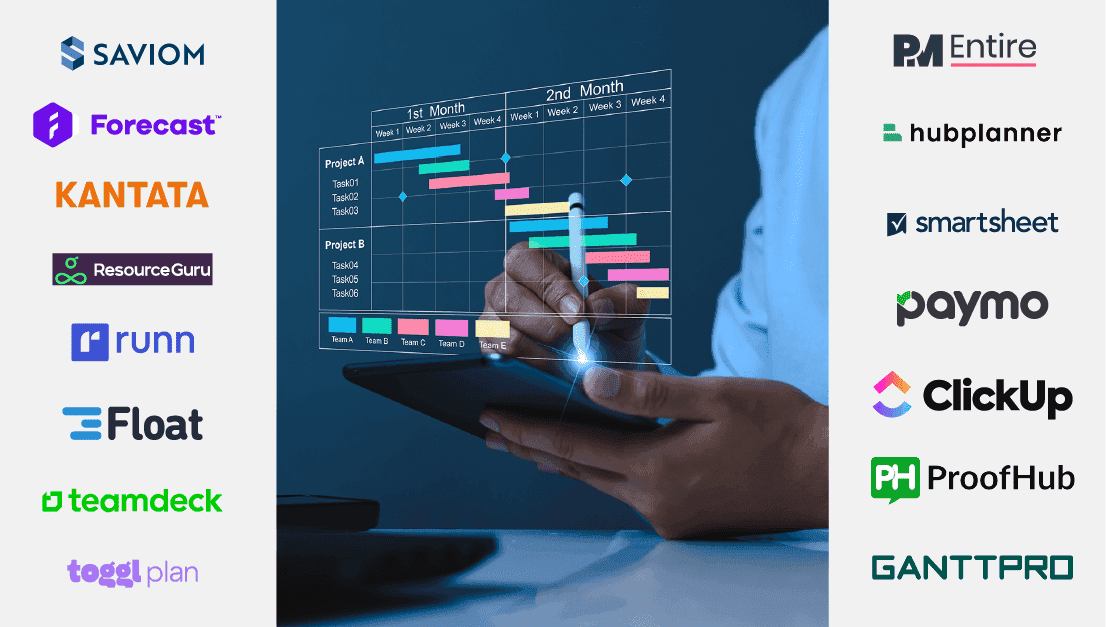
The business environment is highly competitive and dynamic nowadays. To stay afloat, organizations must prepare for their present and future resource needs to achieve their strategic and operational business goals.
This is where implementing a strong resource capacity planning tool has become essential for businesses. It assists in streamlining the resource planning procedures, identifying possible bottlenecks, and taking proactive corrective actions.
Nevertheless, it can be extremely difficult to choose the best capacity planning tool, given the abundance of options available today. Therefore, we have compiled a list of the top 10 capacity planning software for 2024 to make the job easier!
Let’s begin by defining capacity planning software and outlining its functions.
| 1 | Saviom | Best Capacity Planning Software for Enterprises | Visit Website https://www.saviom.com/ |
| 2 | PMEntire | Best Capacity Planning Tool for Small to Medium Teams | Visit Website https://www.pmentire.com/ |
| 3 | Float | Best Capacity Planning Software for Project Teams | Visit Website https://www.float.com/ |
| 4 | Runn | Best Capacity Planning Software for real-time planning | Visit Website https://www.runn.io/ |
| 5 | Resource Guru | Simplified capacity planning software to optimize workloads | Visit Website https://resourceguruapp.com/ |
| 6 | Kantata | Best Capacity Planning Solution for Dynamic Businesses | Visit Website https://www.kantata.com/ |
| 7 | ClickUp | Best All-in-One Capacity Planning Software | Visit Website https://app.clickup.com/37407013/v/l/13nj95-64 |
| 8 | Toggl Plan | Best for Small yet Dynamic Teams | Visit Website https://toggl.com/plan/index |
| 9 | Smartsheet | Best Capacity Planning Software for Creative Teams | Visit Website https://www.smartsheet.com/ |
| 10 | Hub Planner | Best Suited for Scaling Teams | Visit Website https://hubplanner.com/ |
Best for: Medium to enterprise-level organizations
Tagline: Best Capacity Planning Software for Enterprises
SAVIOM is the pioneer and global leader in capacity planning software, assisting numerous Fortune 500 organizations in 50+ countries with their specific capacity management requirements. With 20+ years of industry experience, Saviom Software is several years ahead of the competition.
What makes the tool unique?
Saviom has advanced methods for forecasting that support proactive demand planning. Businesses can use the tool to forward plan pipeline project requirements and spot possible resourcing bottlenecks. Its capacity vs. demand reports help identify workforce excess or shortfall, reducing the need for last-minute firefighting for competent resources. Furthermore, the forecast vs actual reports and utilization heat maps provides insights into under and overutilization and helps optimize the workforce.
The tool also offers people-on-the-bench and project vacancy reports to reduce the bench time. Moreover, its configurable dashboards and BI-powered analytics empower users to proactively manage project budgets by providing insights into crucial financial parameters such as cost, revenue, and profit margins. In essence, Saviom stands as a powerful capacity planning software equipped with an array of indispensable features.
Core Features
Pricing – Saviom has a tiered pricing model that depends on the number of power and lite licenses the user buys. They also offer a 60-day free trial.
Pros & Cons
| Pros | Cons |
| Unique forecasting methods enable proactive demand planning | More appropriate for medium to large-scale organizations |
| Helps identify project requirements and potential bottlenecks in advance | Users may face a learning curve due to advanced features |
| Reduces last-minute firefighting by using capacity vs. demand data | |
| Configurable dashboards and BI-powered analytics empower users with real-time financial insight |
Best for: Small-to-mid sized organization
Tagline: Best Capacity Planning Tool for Small to Medium Teams
PMEntire Resource Management Software is designed to help professional service organizations optimize their workforce and do capacity planning efficiently and accurately. It is based on a SAAS model, which is best suited for small to medium-sized businesses.
What makes the tool unique?
The tool allows users to forecast and track crucial parameters such as project financials, vacancies, people on the bench, resource usage, risks, and so on for agile capacity planning.
Furthermore, the platform’s configurable dashboards and real-time data provide insights into resource excesses and shortages, allowing managers to take appropriate corrective steps. It is one of the best capacity planning tools on this list because of its high configurability and ease of use.
Core Features
Pricing – Pricing is available on request. PMEntire offers a 60-day free trial.
Pros & Cons
| Pros | Cons |
| Enables organizations to optimize their workforce efficiently and accurately | It may be less suitable for large enterprises due to its emphasis on the small to medium-sized business market |
| Users can forecast and track crucial project parameters, ensuring agile capacity planning | Some users may experience a learning curve with the platform’s high configurability and features |
| High configurability and real-time data provide actionable insights | |
| Its user-friendly interface makes it accessible and easy to navigate for all users |
Best for: Small-to-mid sized organizations
Tagline: Best Capacity Planning Software for Project Teams
Float is an excellent capacity planning tool that empowers teams to optimize how they plan project work.
What makes the tool unique?
Float is a highly efficient and intuitive tool designed to streamline capacity planning and work scheduling for businesses. With its user-friendly interface and powerful features, Float empowers teams to optimize their resources, allocate work efficiently, and stay on top of project timelines.
Additionally, Float provides real-time collaboration features, allowing team members to communicate seamlessly and make adjustments to schedules as needed. Whether managing a small team or a large enterprise, Float proves to be an invaluable asset for organizations seeking to enhance productivity, balance workloads, and ensure project deadlines are met with precision.
Core Features
Pricing – The various pricing models include Resource Capacity Planning, which is $6 per person per month, and Capacity Planning + Time Tracking, which is $10 per person per month. Float also offers a 14-day free trial.
Pros & Cons
| Pros | Cons |
| The intuitive interface makes it easy for teams to navigate and utilize its capacity planning features. | Best for teams of up to 1,000. |
| Helps teams optimize resources, ensuring a streamlined and productive project planning process. | May face occasional challenges when integrating with certain third-party applications. |
| Great for small teams as well as large enterprises. |
Best for: Medium sized organizations
Tagline: Best Capacity Planning Software for real-time planning
Runn is an efficient capacity planning tool that offers one of the best real-time capacity planning, and forecasting features.
What makes the tool unique?
Project managers can optimize their team’s workload by using Runn, a platform for resource and capacity management. You can plan and foresee capacity with Runn, allowing you to schedule them appropriately on projects.
The tool provides a calendar view, which gives insights into each team member’s current and future work and their availability. This way, you can see if any resource has the skills and capability to take on new work. Moreover, the tool assists you in differentiating chargeable and non-billable work, which simplifies the process of setting your rates and creating invoices.
Core Features
Pricing – Runn costs from $10/user/month. It also offers a free-forever plan for up to five users. You can get a 14-day free trial.
Pros & Cons
| Pros | Cons |
| It excels in providing one of the best real-time capacity planning solutions. | It does need some setup time. |
| Calendar features provide a clear view of each team member’s involvement. | It might not seamlessly integrate with certain third-party applications. |
| Simplifies the process of distinguishing between billable and non-billable work. | |
| Quick access to resources and effective project scheduling. |
Best for: Businesses of all sizes
Tagline: Simplified capacity planning software to optimize workloads
Resource Guru is one of the most affordable plans available for basic resource capacity planning; the tool also meets the majority of the needs of small teams looking for a simple scheduling solution.
What makes the tool unique?
Resource Guru is a capacity planning software that allows you to schedule teams, people, and projects. Its drag-and-drop interface allows you to assign tasks quickly, and the entire UI adheres to the clean and simple mantra. The software includes clash management, which helps you avoid multiple bookings and overtime while considering individual working hours, workloads, and vacation time.
Another great feature is the waiting list. This function monitors your resources and prevents overallocation, ensuring that each resource is assigned optimal work. Finally, its various reports provide visibility into team utilization rates and capacity, allowing you to know exactly where your time is spent and how much additional work you can take on.
Core Features
Pricing – It offers multiple price plans, including Grasshopper. $4.16 per person per month, Blackbelt. $6.65 per person per month and Master. $10 per person per month. It also offers a 30-day free trial.
Pros & Cons
| Pros | Cons |
| Affordable pricing | Limited advanced features compared to more complex tools |
| User-friendly interface | May not fully meet the needs of larger or highly specialized teams |
| Detailed reports for insights |
Best for: Small-to-mid sized professional service organizations
Tagline: Best capacity planning solution for Dynamic Businesses
With Kantata’s outstanding array of capacity planning tools, companies can maintain a healthy supply-demand ratio and meet their clients’ ever-increasing expectations.
What makes the tool unique?
The forecasting element of the software employs advanced algorithms to precisely forecast resource requirements and project timelines. Additionally, using the customizable dashboards, managers can view data, identify skill gaps, and pinpoint development opportunities.
Furthermore, the data-driven reports and analytics offer data on variables like unstaffed demand, remaining capacity, and soft/hard allocations that support businesses in maximizing the effectiveness of their resource utilization. Thus, Kantata is an excellent capacity management tool for all types of enterprises due to its strong planning capabilities and simple user interface.
Core Features
Pricing – Pricing information is available on request. Kantata offers a free demo.
Pros & Cons
| Pros | Cons |
| Advanced algorithms and analytics | The advanced features might be overwhelming for users. |
| Custom fields, reports, and templates | Pricing might be an issue for small enterprises. |
| Simple timesheet management |
Best for: Small to mid-size companies
Tagline: Best All-in-One Capacity Planning Software
ClickUp is an ideal capacity management software for teams of all sizes, allowing them to manage resources and consolidate all of their work into a centralized hub.
What makes the tool unique?
ClickUp is one of the greatest all-in-one project management tools available for those who need to collaborate and manage several projects efficiently—but it also offers advanced capacity planning functionalities. It provides foresight into your team’s capacity to help you prepare for projects in advance.
The Workload view feature enables capacity planners to plan and visualize a team’s present capacity. In addition, using ClickUp’s customizable dashboard and reports, one can identify overworked or underutilized team members, allowing them to respond quickly to any red flags. Overall, ClickUp’s capacity management platform helps improve operational efficiency and employee productivity, leading to higher profit margins.
Core Features
Pricing – ClickUp offers various pricing plans – Free Forever Plan, Unlimited Plan at $7 per member, per month and Business Plan at $12 per member.
Pros & Cons
| Pros | Cons |
| A feature-rich Free Forever Plan for teams of any size. | Workload view is not included in the Free Forever Plan. |
| Hundreds of pre-built templates for any use case. | Not all views are accessible in the mobile app yet. |
| User-friendly interface and navigation. |
Best for: Small to medium-scale businesses
Tagline: Best for Small yet Dynamic Teams
With strong capacity tracking and planning features, Toggl Plan is an all-inclusive work collaboration platform that helps agile teams efficiently view and manage capacity.
What makes the tool unique?
Toggl Plan allows managers to discover talent gaps and prepare ahead for long-term requirements. In addition, it also helps you establish a realistic resource capacity plan for your team by setting the hours or days that each team member is available to work. Moreover, real-time updates, time monitoring features, and robust reporting capabilities from Toggl Plan can help prevent schedule conflicts and last-minute rush.
In the end, project managers and team leaders find the Toggl Plan to be an invaluable tool for tracking team capacity due to its user-friendly interface, adaptability, and simplicity of use.
Core Features
Pricing – Toggl Plan’s pricing includes a free plan for solo users. The Team plan starts at $8 per person/month, whereas the Business plan starts at $13.35 per person/month. Toggl Plan also provides a 14-day free trial.
Pros & Cons
| Pros | Cons |
| Helps agile teams effectively view and manage capacity. | Some users might find Toggl Plan lacking in advanced features. |
| Offers real-time updates. | No ability to see which skills a potential resource has. |
| User-friendly interface. |
Best for: Organizations of all sizes
Tagline: Best Capacity Planning Software for Creative Teams
For companies of all sizes, Smartsheet is a feature-rich work management program with strong capacity planning capabilities. The software can help you mitigate talent gaps and shortages with data-driven capacity planning.
What makes the tool unique?
Smartsheet’s capacity forecasting feature allows you to predict hiring needs based on team capacity and project pipeline. Moreover, using the capacity planning template managers can simplify the process of determining capacity gaps and promptly address staffing disputes.
Additionally, they can examine complex data, identify changing patterns, and plan for future growth thanks to the tool’s powerful reporting analytics, which include Gantt charts, calendars, and dashboards. All in all, Smartsheet is the perfect capacity management application for coordinating your resource plans with overarching company objectives, with its array of forecasting tools, integration features, and visualization options.
Core Features
Pricing – The plan is free for single users. Pricing for the Pro plan starts at $7 per user/month, whereas the Business plan starts at $25 per user/month. The cost of the Enterprise plan is available on request. Smartsheet also offers a 14-day free trial.
Pros & Cons
| Pros | Cons |
| Easy to use and share with others | Lacking key collaboration and reporting features. |
| Multiple collaboration options | Limited time tracking features to effectively manage resources |
| Fast and accessible portfolio-level performance metrics. | |
| Seamless integration |
Best for: Organizations of all sizes
Tagline: Best Suited for Scaling Teams
Hub Planner is a cutting-edge, cloud-based scheduling and capacity planning tool for team-based organizations of all sizes and sectors.
What makes the tool unique?
The robust capacity forecasting feature of Hub Planner enables users to forecast resource requirements using historical data. Moreover, real-time capacity planning allows users to schedule resources according to their availability, workload, and other considerations.
Additionally, the tool’s strong data analytics assist in determining critical project and resource KPIs, empowering managers to make more informed business decisions. With its simple export, share, and download functions, you can also share or export any data in real-time. All things considered; Hub Planner is a good choice for companies trying to optimize their capacity planning strategy.
Core Features
Pricing – Plug & Play plan pricing begins at $7 per resource/month, while Premium plan pricing begins at $18 per resource/month. The cost of the Business Leader plan, intended for larger businesses, can be available upon request. Hub Planner offers a 60-day free trial.
Pros & Cons
| Pros | Cons |
| Excels in resource scheduling. | The customization options are somewhat limited. |
| Comprehensive reporting tools. | For smaller teams or projects, the cost can be higher compared to some other options. |
| Integrates smoothly with various other tools. |
| Capacity Planning Software | Suitable for | Pricing | Website |
| Saviom | Medium to enterprise-level organizations | Tiered pricing model | Visit Website https://www.saviom.com/ |
| PMEntire | Small-to-mid sized organization | On request | Visit Website https://www.pmentire.com/ |
| Float | Small-to-mid sized organizations | Starter -$6 per person/month Pro -$10 per person/month | Visit Website https://www.float.com/ |
| Runn | Medium sized organizations | Free – 5 or fewer people team Pro – $8 per person per month | Visit Website https://www.runn.io/ |
| Resource Guru | Businesses of all sizes | Grasshopper – $4.16 per person/month Blackbelt – $6.65 per person/month Master – $10 per person/month | Visit Website https://resourceguruapp.com/ |
| Kantata | Small-to-mid sized professional service organizations | On request | Visit Website https://www.kantata.com/ |
| ClickUp | Small to mid-size companies | Forever Free Unlimited – $5 per member per month Business – $12 per member per month Business plus -$19 per member per month | Visit Website https://app.clickup.com/37407013/v/l/13nj95-64 |
| Toggl Plan | Small to medium-scale businesses | Free – Solo user Team – $8 per user/month Business – $13.35 per user/month | Visit Website https://toggl.com/plan/index |
| Smartsheet | Organizations of all sizes | Free – Single userPro – $7 per user/month Business – $25 per user/month | Visit Website https://www.smartsheet.com/ |
| Hub Planner | Organizations of all sizes | Plug & Play – $7 per user/month Premium – $18 per user/month | Visit Website https://hubplanner.com/ |
Below, we’ll delve into five selection criteria that we employed in our analysis and comparison of the top resource capacity planning and management tools:
A tool with an intuitive design makes it easier to browse and comprehend its functions, which lowers the learning curve. It also saves consumers time by enabling them to easily filter and drill down on pertinent information. Therefore, when searching for a reliable capacity planning tool, ease of use and navigation are essential factors to consider.
A tool’s architecture should be adaptable to the unique requirements of your company. Is it able to support both your present and future needs? Will it be able to process larger amounts of data without losing accuracy or performance? Therefore, to satisfy your organization’s changing needs, a highly adaptable and scalable solution is required.
Through built-in reporting analytics, customers can monitor key performance indicators (KPIs), spot performance gaps, and make data-driven business choices. Examples of these analytics include graphs, capacity vs. demand reports, configurable dashboards, and capacity tracker data visualization. In order to ease additional analysis, capacity planning solutions should also allow you to export data in many forms, such as Excel or CSV.
It’s imperative to ensure that the software seamlessly integrates with your existing company systems and processes as it provides a single version of the truth across all your operations. The ability to integrate with these systems streamlines data flow, enhances collaboration, and ensures consistency across the board, ultimately maximizing the effectiveness of your capacity planning efforts.
Pricing is an important factor to consider, and a cost-benefit analysis is needed to determine if a tool is worth the investment. When choosing software, it’s important to consider other expenses like maintenance, training, and support to make sure the program fits the organization’s needs and budget.
Still looking for an alternative solution? Check our list of additional capacity planning software.
| Productive | Best for Managing Resources at Creative Agencies | Visit Website |
| Mosaic | Best Capacity Planning & Management Tool with AI Insights | Visit Website |
| Wrike | Best Capacity Planning Tool for Managing Projects and Resources | Visit Website |
| Parallax | Best Capacity Planning Tool for Digital Agencies | Visit Website |
| Forecast | Best Forecasting Tool with AI Insights | Visit Website |
Capacity planning involves assessing resource capability to meet future demands by strategically managing available resources. It includes forecasting needs, identifying potential constraints, and optimizing the allocation of personnel, equipment, and time. This proactive approach aids in preventing resource overloads or under-utilization, ensuring better efficiency. By aligning resources with anticipated demands, organizations can enhance productivity and adapt to changing situations.
Capacity planning is vital for organizational success. It enables efficient allocation of resources, preventing bottlenecks and ensuring optimal performance. By forecasting and managing resource availability, businesses can meet resource demand, enhance productivity, and make informed decisions. This approach leads to cost savings, improved workflow, and overall operational excellence, contributing to sustained growth and competitiveness in dynamic markets.
Selecting the right resource capacity planning software involves considering key factors such as user-friendliness, scalability, integration capabilities, and customization options. In addition, you must also prioritize features like real-time tracking, forecasting, and reporting and assess if it aligns with your organization’s specific needs, budget, and future growth plans. Finally, trial versions, user reviews, and vendor support also aid in making an informed decision for choosing the right capacity planning software.
To create an effective capacity planning process, managers can follow these steps –
Implementing a capacity planning strategy can pose challenges for organizations due to various factors. Common bottlenecks include lack of centralized visibility and real-time data, skill mismatches, high employee turnover, and frequent hiring and firing cycles. These issues hinder effective capacity management and can lead to reduced productivity, employee disengagement, and financial losses. Therefore, organizations must address these challenges to optimize their resource allocation and project outcomes.